September 25, 2026
Kubernetes Control Plane Components and Static Pods
Understand how the Kubernetes control plane makes cluster-wide decisions, why kubeadm runs its core components as static Pods, and how to inspect both safely.
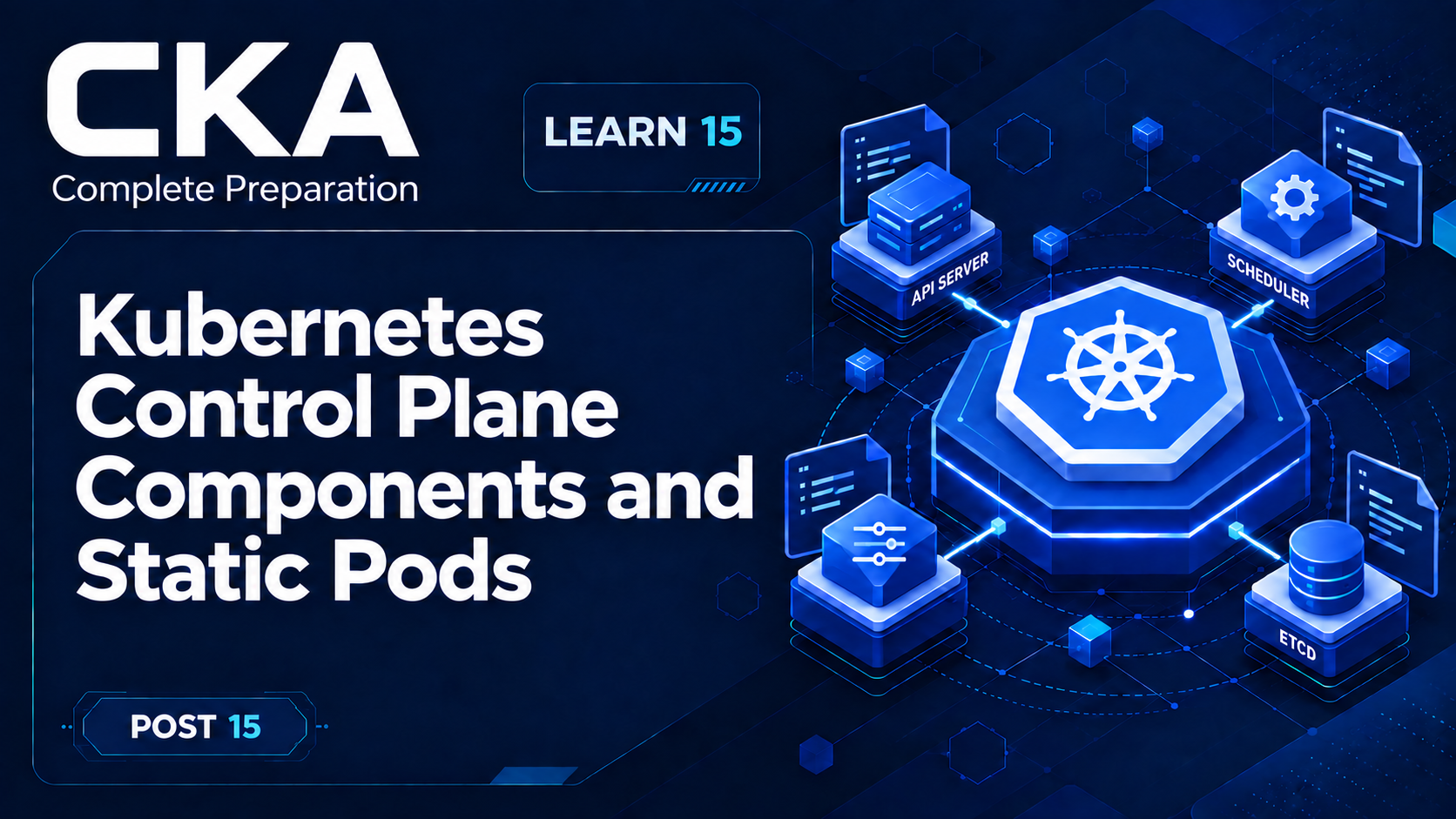
This is Learn post 15 of the 54-post Certified Kubernetes Administrator (CKA) preparation path. Earlier lessons followed API requests, reconciliation, scheduling, and workload controllers. Now we bring those ideas together inside the control plane and then examine the special Pods that let a kubeadm control plane start itself.
The practical question is not just “Which components exist?” It is which component owns each decision, where cluster state lives, and what still runs when the API server is unavailable.
What you'll learn
- Map kube-apiserver, etcd, kube-scheduler, and kube-controller-manager to their distinct responsibilities.
- Trace how the components cooperate without treating the control plane as one process.
- Explain why kubeadm uses static Pods for local control plane components.
- Inspect static Pod manifests, running control plane Pods, and their mirror Pods.
- Use a small static Pod demonstration to see which copy is authoritative and how the kubelet reconciles it.
The mental model: front door, memory, decisions, and local bootstrap
The API server is the control plane's front door, etcd is its durable memory, the scheduler and controllers make decisions through the API, and the kubelet turns assigned Pod specifications into running containers. On a kubeadm control plane node, local static Pod files let the kubelet start the control plane before that API is available.
This is the same API-centered architecture introduced in post 01, viewed from an administrator's perspective. When behavior is wrong, identify which stage owns the decision before choosing a command or log source.
The core control plane components
kube-apiserver: the validated control boundary
kube-apiserver exposes the Kubernetes HTTP API. kubectl, kubelets, controllers, the scheduler, and other clients send their reads and writes to it. The API server authenticates and authorizes requests, runs admission, validates objects, and provides the API operations that the rest of the system watches.
Because the API server is the shared boundary, components do not coordinate by editing etcd directly or by calling each other for every decision. They observe and update API objects. This keeps the control plane loosely coupled and makes desired and observed state visible through the same interface.
etcd: the durable source of API data
etcd is a consistent, highly available key-value store that holds Kubernetes API data. A Deployment specification, Pod status, Secret, and Node object ultimately depend on this data store. In the standard architecture, the API server is the component that reads from and writes to etcd on behalf of API clients.
etcd is not a scheduler or a controller. It preserves state; it does not decide how that state should change. Backup, restore, and deeper etcd administration appear with cluster lifecycle and troubleshooting later in the series.
kube-scheduler: placement decisions
kube-scheduler watches for Pods that do not yet have a node assignment. It filters and scores eligible nodes, then records a binding for the selected node through the API. It does not start containers. The kubelet on the selected node performs that work, as post 11 established.
kube-controller-manager: reconciliation loops
kube-controller-manager runs many core controllers in one process. Each controller watches relevant API state, compares desired state with observed state, and writes changes that move the cluster toward the goal. The Deployment-to-ReplicaSet-to-Pod chain from post 06 is one visible result of these cooperating loops.
The controller manager does not generally create containers itself. It creates or updates API objects; node agents later realize the resulting Pod specifications.
cloud-controller-manager: optional cloud integration
In cloud-integrated clusters, cloud-controller-manager runs controllers that connect Kubernetes resources to provider APIs, such as node and load-balancer behavior. It is optional and is not one of the local static Pod manifests created by a default kubeadm control plane.
One request, several owners
Consider creating a Deployment with three replicas. The flow is a chain of ownership rather than one component doing everything:
- kubectl sends the Deployment to kube-apiserver, which validates and persists the accepted state through etcd.
- Deployment and ReplicaSet controllers observe the desired count and cause three Pod objects to exist.
- kube-scheduler assigns each unscheduled Pod to a suitable node through the API.
- The kubelet on each selected node asks its container runtime to start the containers and reports status back through the API.
Because each stage has a clear owner, a Pending Pod with no node assignment points toward scheduling, while an assigned Pod whose container never starts points toward the node side. Later troubleshooting posts turn this ownership map into diagnostic workflows.
Observe the control plane from the API
On a kubeadm cluster, start with the kube-system namespace and include node placement. This tells you which system Pods exist and where they run.
kubectl get nodes -o wide
kubectl get pods -n kube-system -o wide
A single-control-plane kubeadm cluster commonly includes rows shaped like these; versions, addresses, restart counts, and ages will differ:
NAME                          READY   STATUS    RESTARTS   AGE   NODE
etcd-cp1                      1/1     Running   0          2h    cp1
kube-apiserver-cp1            1/1     Running   0          2h    cp1
kube-controller-manager-cp1   1/1     Running   0          2h    cp1
kube-scheduler-cp1            1/1     Running   0          2h    cp1
The node suffix is meaningful: each of these Pods belongs to a particular control plane node. Do not classify every kube-system Pod as a control plane component. CoreDNS is an add-on, while kube-proxy is a node networking component; both have different owners and lifecycles.
kubeadm labels its local control plane Pods with tier=control-plane, so you can narrow the view in a kubeadm cluster:
kubectl get pods -n kube-system -l tier=control-plane \
  -o custom-columns='NAME:.metadata.name,NODE:.spec.nodeName,STATUS:.status.phase'
That label is a kubeadm convention, not a universal promise for every Kubernetes distribution. Managed services and other installers may run or expose their control planes differently.
The bootstrap problem
Normal API-managed Pods depend on a working API server: their specifications are stored through the API, the scheduler assigns them, and kubelets retrieve those assignments. That creates a circular dependency if kube-apiserver itself must start as a normal API-managed Pod.
A static Pod breaks the circle: its source of truth is local to one node, so that node's kubelet can start it without first retrieving the Pod specification from kube-apiserver.
A static Pod is managed directly by one kubelet and is always bound to that kubelet's node. The kubelet watches a configured file or URL, asks the container runtime to run the Pod, and keeps reconciling it. No Deployment, ReplicaSet, DaemonSet, or scheduler owns that lifecycle.
Static Pod versus mirror Pod
When the API server is reachable, the kubelet tries to create a mirror Pod for each static Pod. The mirror appears in kubectl output and carries the static Pod's labels, but it is a reflection, not the controller. Its name is the manifest's Pod name followed by the node hostname.
Deleting the mirror through the API does not stop the local workload. The kubelet continues running the static Pod and recreates the mirror. To change or remove the workload, change or remove its source manifest on the node.
Static Pod specifications also cannot refer to other API objects such as ConfigMaps, Secrets, or ServiceAccounts, and static Pods do not support ephemeral containers. These constraints follow from the node-local lifecycle: the workload must not require API-managed dependencies in order to be defined.
How kubeadm applies the pattern
kubeadm writes static Pod manifests for kube-apiserver, kube-controller-manager, and kube-scheduler to /etc/kubernetes/manifests. With local etcd, it writes an etcd manifest there too. If the cluster uses external etcd, that local etcd manifest is absent.
The kubelet is supervised as a host service. It reads its staticPodPath configuration, notices the manifests, and asks the container runtime to start the control plane containers. Once kube-apiserver is available, the other components can coordinate through it and the kubelet can publish mirror Pods.
This is a kubeadm implementation pattern, not a requirement that every Kubernetes control plane must use static Pods. The high-availability layout and kubeadm lifecycle mechanics belong to posts 18–21.
Inspect the node-local source
Run the next commands on a kubeadm control plane node. First confirm the kubelet's configured path rather than assuming it, then list the manifests that actually exist.
sudo grep '^staticPodPath:' /var/lib/kubelet/config.yaml
sudo ls -1 /etc/kubernetes/manifestsstaticPodPath: /etc/kubernetes/manifests
etcd.yaml
kube-apiserver.yaml
kube-controller-manager.yaml
kube-scheduler.yamlThe first line identifies the kubelet input. The four files show a stacked kubeadm control plane with local etcd. Their presence explains why the corresponding mirror Pods are tied to this node.
A full generated manifest contains certificates, hostPath volumes, probes, commands, and component flags. Inspect a focused subset first so that the relationship stays visible:
sudo grep -E '^(  name:|  namespace:|  hostNetwork:|    image:|    - --advertise-address|    - --etcd-servers)' \
/etc/kubernetes/manifests/kube-apiserver.yaml name: kube-apiserver
namespace: kube-system
- --advertise-address=192.0.2.10
- --etcd-servers=https://127.0.0.1:2379
image: registry.k8s.io/kube-apiserver:v1.xx.y
hostNetwork: trueThe example values are representative. Read your node's manifest for its real address and image version. kubeadm sets host networking on these static Pods so the control plane can start before a cluster network add-on is available.
Do not keep manifest backups inside the static Pod directory. The kubelet processes every non-dot file there regardless of extension, so kube-apiserver.yaml.backup can be treated as another manifest. Store backups elsewhere.
Inspect a mirror Pod
From a machine with kubectl access, select a control plane node and inspect the matching API server mirror. The output connects the API-visible name to its fixed node and node-local source.
CONTROL_PLANE_NODE=$(kubectl get nodes \
  -l node-role.kubernetes.io/control-plane \
  -o jsonpath='{.items[0].metadata.name}')

kubectl get pod -n kube-system "kube-apiserver-${CONTROL_PLANE_NODE}" \
-o jsonpath='{.metadata.name}{"\n"}{.spec.nodeName}{"\n"}{.metadata.annotations.kubernetes\.io/config\.source}{"\n"}'kube-apiserver-cp1
cp1
fileThe name suffix and spec.nodeName both point to cp1. The kubernetes.io/config.source annotation reports file, distinguishing this mirror from an ordinary Pod submitted to the API.
Worked demonstration: watch the kubelet own a Pod
This normal demonstration uses a harmless pause container on a kubeadm control plane node. It assumes staticPodPath is /etc/kubernetes/manifests, which the earlier command must confirm. The manifest is intentionally self-contained and does not reference API objects.
sudo tee /etc/kubernetes/manifests/cka-static-demo.yaml >/dev/null <<'EOF'
apiVersion: v1
kind: Pod
metadata:
  name: cka-static-demo
  namespace: kube-system
  labels:
    lesson: control-plane-static-pods
spec:
  containers:
    - name: pause
      image: registry.k8s.io/pause:3.10
EOF
No kubectl apply is involved. The file appears in the directory the kubelet watches, so the kubelet asks the runtime to create the Pod on that same node. After the image is available, query the mirror by its propagated label:
kubectl get pods -n kube-system \
-l lesson=control-plane-static-pods -o wideNAME READY STATUS RESTARTS AGE NODE
cka-static-demo-cp1 1/1 Running 0 20s cp1The mirror name combines cka-static-demo from the file with cp1, the node that owns it. The scheduler did not select cp1; the file was already local to cp1's kubelet.
Delete the reflection, not the source
Delete the API-visible mirror and then query again. The kubelet still has the local manifest, so it keeps the workload running and publishes another mirror.
MIRROR_POD=$(kubectl get pod -n kube-system \
  -l lesson=control-plane-static-pods \
  -o jsonpath='{.items[0].metadata.name}')

kubectl delete pod -n kube-system "$MIRROR_POD"
kubectl get pods -n kube-system -l lesson=control-plane-static-pods
The mirror can briefly disappear, then returns. This is the defining distinction: the API object is not desired state for this Pod; the file is.
Remove the authoritative manifest
sudo rm /etc/kubernetes/manifests/cka-static-demo.yaml

kubectl get pods -n kube-system -l lesson=control-plane-static-pods -w
Now the kubelet detects that the source has disappeared, stops the static Pod, and removes its mirror. End the watch with Ctrl-C after the resource is gone. This cleanup also demonstrates the correct control surface.
Static Pods are not DaemonSets
Both patterns can produce node-local Pods, but their control paths differ. A DaemonSet is an API-managed workload controller that creates Pods for eligible nodes and can use other API objects. A static Pod is configured independently on each node and is owned directly by that node's kubelet.
Use a DaemonSet for a cluster-managed agent that should run across a changing set of nodes. Static Pods are most useful when a node must bootstrap or maintain a critical workload without depending on the API server. Post 08 already covered DaemonSet workload selection; the distinction here is ownership and bootstrap dependency.
Where to look when the API cannot help
If kube-apiserver is unavailable, kubectl cannot show its mirror Pod because kubectl itself depends on the API. Move down one layer on the control plane node: confirm the manifest, inspect the runtime, and read kubelet logs.
sudo ls -l /etc/kubernetes/manifests
sudo crictl ps -a --name kube-apiserver
sudo journalctl -u kubelet --since '10 minutes ago'
The first command checks desired state on disk, the second asks the container runtime whether the API server container exists or exited, and the third reveals whether the kubelet rejected or repeatedly restarted the manifest. Runtime configuration and systematic failure diagnosis are developed in posts 16, 36, and 46.
What to remember
- kube-apiserver is the shared control boundary; etcd stores API data; the scheduler assigns unscheduled Pods; controllers reconcile desired and observed state.
- The scheduler and controllers write decisions through the API; kubelets and runtimes turn assigned Pod specifications into running containers.
- A static Pod is owned by one kubelet from a node-local source, so it can start without the API server.
- A mirror Pod provides API visibility but is not authoritative. Change the manifest to change the workload.
- kubeadm normally stores control plane static Pod manifests in /etc/kubernetes/manifests; other distributions may use different deployment models.
- When the API server is down, inspect the manifest, container runtime, and kubelet logs locally instead of relying on kubectl.
Official references
Kubernetes Components defines the roles of the control plane and node components.
Create static Pods documents filesystem-hosted manifests, mirror behavior, dynamic removal, and static Pod limitations.
kubeadm implementation details explains how kubeadm generates and configures control plane static Pod manifests.
KubeletConfiguration API reference defines staticPodPath and the kubelet's static Pod polling configuration.