September 22, 2026
Node Affinity, Pod Affinity, Pod Anti-Affinity, and Topology Spread Constraints
Control where Pods may run, prefer useful placements, keep related workloads together or apart, and balance replicas across nodes and zones with Kubernetes scheduling rules.
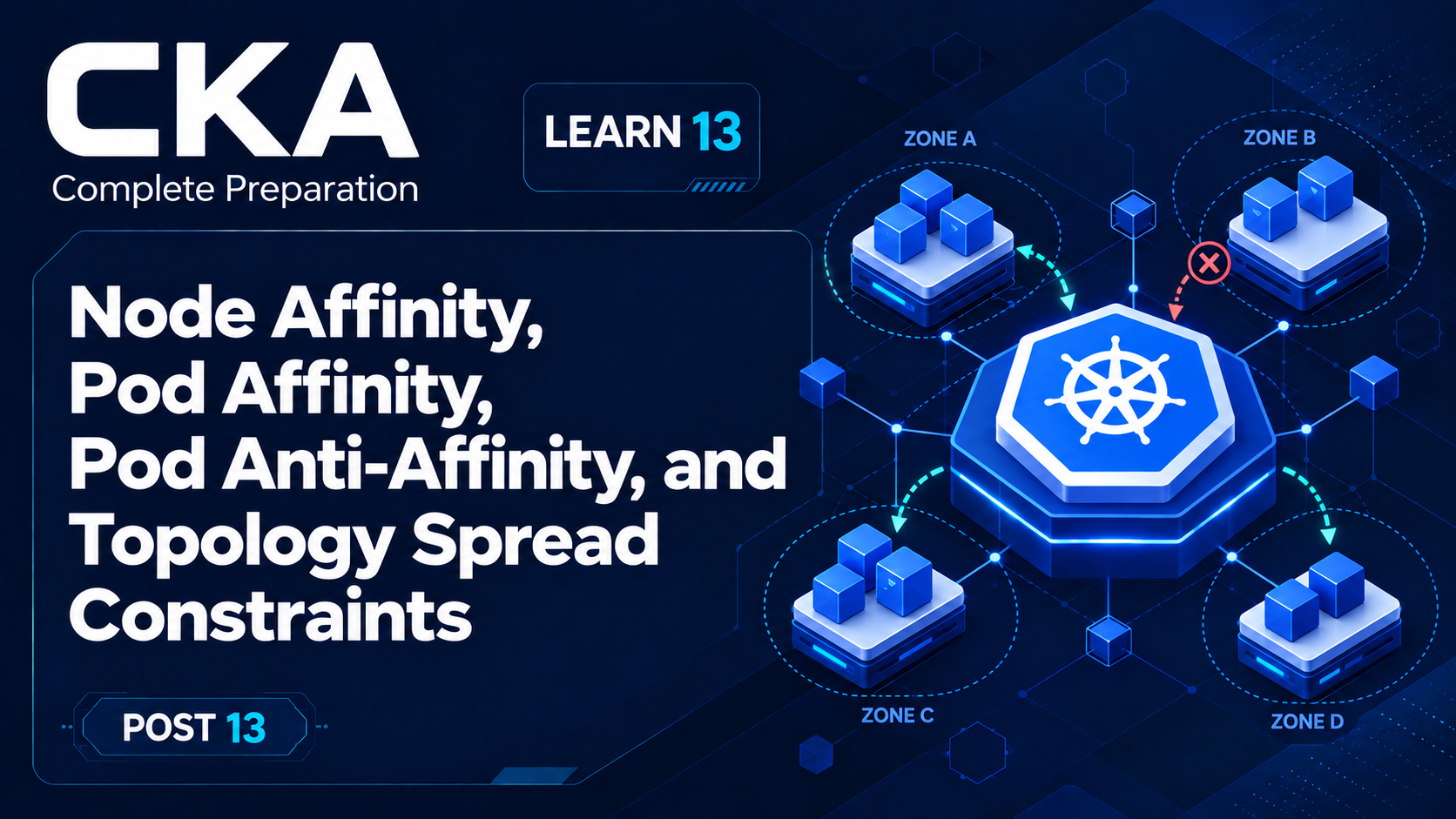
This is Learn post 13 of the 54-post Certified Kubernetes Administrator (CKA) preparation path. Posts 11 and 12 established the scheduler's filter-score-bind pipeline, basic node selection, and taints. This lesson adds expressive placement rules for choosing nodes, relating Pods to other Pods, and distributing replicas across failure domains.
These controls matter because a healthy set of replicas can still be fragile if every Pod lands on one node. The scheduler can use labels and the current placement of Pods to keep workloads near dependencies, separate replicas, or maintain a controlled balance.
What you'll learn
- Use required node affinity to filter nodes and preferred node affinity to influence scoring.
- Read Pod affinity and anti-affinity as relationships between a new Pod and existing labeled Pods inside a topology domain.
- Use topology spread constraints to limit imbalance across nodes or zones.
- Recognize hard filters, soft preferences, topology keys, label selectors, and scheduling evidence in YAML and kubectl output.
The mental model: filter, relate, balance
Node affinity asks about nodes. Pod affinity and anti-affinity ask about neighborhoods. Topology spread constraints ask about counts.
All of these rules participate in the same scheduling decision from post 11. Hard rules shrink the feasible node set. Soft rules contribute to scoring among the nodes that remain. Resource fit, taints, and other scheduler checks still apply; passing one placement rule never guarantees assignment.
A topology domain is a group of nodes sharing one value for a node-label key. With topology.kubernetes.io/zone, every distinct zone value is a domain. With kubernetes.io/hostname, each node is normally its own domain.
Prepare observable node topology
The demonstrations are clearest on a cluster with at least three schedulable worker nodes. First inspect the labels that already describe operating system, hostname, zone, and any administrator-defined hardware class.
kubectl create namespace cka-placement

kubectl get nodes -L kubernetes.io/hostname,topology.kubernetes.io/zone,disk
kubectl get nodes --show-labels
For a disposable lab, replace the example node names below with three real worker-node names. Two nodes share zone-a, one belongs to zone-b, and two advertise solid-state storage. Do not overwrite provider-managed zone labels in a production cluster.
kubectl label node worker-a-1 topology.kubernetes.io/zone=zone-a disk=ssd --overwrite
kubectl label node worker-a-2 topology.kubernetes.io/zone=zone-a disk=ssd --overwrite
kubectl label node worker-b-1 topology.kubernetes.io/zone=zone-b disk=hdd --overwrite

kubectl get nodes -L topology.kubernetes.io/zone,diskNAME STATUS ... ZONE DISK
worker-a-1 Ready ... zone-a ssd
worker-a-2 Ready ... zone-a ssd
worker-b-1 Ready ... zone-b hddThe important evidence is not the exact names; it is the mapping from node labels to domains. Placement behavior is only predictable when the labels used by the rules exist consistently.
Node affinity: expressive node selection
A nodeSelector from post 11 performs exact label matching. Node affinity uses label-selector expressions, supports operators such as In, NotIn, Exists, DoesNotExist, Gt, and Lt, and can state both hard requirements and weighted preferences.
Required filters; preferred scores
apiVersion: apps/v1
kind: Deployment
metadata:
  name: reports
  namespace: cka-placement
spec:
  replicas: 2
  selector:
    matchLabels:
      app: reports
  template:
    metadata:
      labels:
        app: reports
    spec:
      affinity:
        nodeAffinity:
          requiredDuringSchedulingIgnoredDuringExecution:
            nodeSelectorTerms:
              - matchExpressions:
                  - key: disk
                    operator: In
                    values:
                      - ssd
          preferredDuringSchedulingIgnoredDuringExecution:
            - weight: 80
              preference:
                matchExpressions:
                  - key: topology.kubernetes.io/zone
                    operator: In
                    values:
                      - zone-a
      containers:
        - name: web
          image: nginx:1.27-alpine
Because disk=ssd is required, the scheduler removes worker-b-1 from consideration. The zone-a preference adds 80 points to matching feasible nodes, but it does not override hard requirements or other scoring plugins. In this lab both SSD nodes are already in zone-a, so the preference is redundant but visible in the manifest; in a larger cluster it would rank SSD nodes in zone-a above SSD nodes elsewhere.
The long field names describe lifecycle precisely. RequiredDuringScheduling means the rule is a hard filter when the Pod is placed. PreferredDuringScheduling means it influences scoring. IgnoredDuringExecution means a later node-label change does not evict a running Pod.
kubectl apply -f node-affinity.yaml
kubectl get pods -n cka-placement -l app=reports -o wide
kubectl get pod -n cka-placement -l app=reports -o jsonpath='{range .items[*]}{.metadata.name}{" -> "}{.spec.nodeName}{"\n"}{end}'
Both Pods should be assigned only to nodes carrying disk=ssd. They are not guaranteed to split between those nodes because node affinity selects or ranks individual nodes; it does not express a replica-count balance.
Read node affinity logic correctly
Expressions inside one nodeSelectorTerm are ANDed: every expression must match. Separate nodeSelectorTerms are ORed: satisfying any one term is enough. If nodeSelector and nodeAffinity are both present, the node must satisfy both.
Pod affinity: place near matching Pods
Pod affinity selects existing Pods by label, finds the topology domains containing those Pods, and makes those domains attractive or required for the incoming Pod. The selected Pods are the reference points; the topologyKey decides whether “near” means the same node, zone, rack, or another labeled boundary.
This demonstration places one cache Pod in zone-a, then requires API Pods to run in a zone containing a Pod labeled app=cache. The selector searches the API Pod's own namespace because no namespaces field is supplied.
apiVersion: apps/v1
kind: Deployment
metadata:
  name: cache
  namespace: cka-placement
spec:
  replicas: 1
  selector:
    matchLabels:
      app: cache
  template:
    metadata:
      labels:
        app: cache
    spec:
      nodeSelector:
        topology.kubernetes.io/zone: zone-a
      containers:
        - name: cache
          image: nginx:1.27-alpine
---
apiVersion: apps/v1
kind: Deployment
metadata:
  name: api
  namespace: cka-placement
spec:
  replicas: 2
  selector:
    matchLabels:
      app: api
  template:
    metadata:
      labels:
        app: api
    spec:
      affinity:
        podAffinity:
          requiredDuringSchedulingIgnoredDuringExecution:
            - labelSelector:
                matchLabels:
                  app: cache
              topologyKey: topology.kubernetes.io/zone
        podAntiAffinity:
          requiredDuringSchedulingIgnoredDuringExecution:
            - labelSelector:
                matchLabels:
                  app: api
              topologyKey: kubernetes.io/hostname
      containers:
        - name: api
          image: nginx:1.27-alpine
The API Pod's required Pod affinity asks: does this candidate node belong to a zone that already contains a cache Pod? If the cache is on either worker-a node, both zone-a nodes satisfy that relationship. Affinity does not necessarily mean the same node; the topology key defines the boundary.
Pod anti-affinity: keep matching Pods apart
Pod anti-affinity reverses the relationship: it rejects or penalizes topology domains that already contain matching Pods. In pod-relationships.yaml, each new app=api Pod must avoid any hostname domain already containing another app=api Pod.
kubectl delete deployment reports -n cka-placement
kubectl apply -f pod-relationships.yaml
kubectl get pods -n cka-placement -L app -o wideNAME APP NODE
cache-... cache worker-a-1
api-... api worker-a-1
api-... api worker-a-2The exact Pod suffixes and which API replica shares the cache node can vary. What should remain true is that both API Pods are in zone-a because of Pod affinity, while they occupy different nodes because of required Pod anti-affinity.
If only one schedulable node exists in zone-a, the second API Pod remains Pending. Kubernetes does not weaken a required rule to make progress. Changing required to preferred with a weight from 1 to 100 would preserve the intent during scoring while allowing both replicas to use the same node when necessary.
Like node affinity, inter-Pod affinity and anti-affinity are scheduling-time decisions. The scheduler evaluates the incoming Pod against the current placement of existing Pods. IgnoredDuringExecution means later label or placement changes do not trigger automatic eviction or rebalancing.
Topology spread constraints: control skew
Required Pod anti-affinity can enforce at most one matching Pod per domain. Topology spread constraints solve a broader problem: keep the counts of matching Pods across eligible domains within an allowed difference called maxSkew.
apiVersion: apps/v1
kind: Deployment
metadata:
  name: frontend
  namespace: cka-placement
spec:
  replicas: 4
  selector:
    matchLabels:
      app: frontend
  template:
    metadata:
      labels:
        app: frontend
    spec:
      topologySpreadConstraints:
        - maxSkew: 1
          topologyKey: kubernetes.io/hostname
          whenUnsatisfiable: DoNotSchedule
          labelSelector:
            matchLabels:
              app: frontend
      containers:
        - name: web
          image: nginx:1.27-alpine
The labelSelector defines which Pods are counted; here it matches the Deployment's own app=frontend Pods. The topologyKey creates one domain per hostname. maxSkew: 1 allows the largest relevant count to exceed the global minimum by at most one when DoNotSchedule is used.
Because placing the fourth Pod into any one domain produces a skew of one, that placement is valid. Placing another Pod into the same domain while the counts are 2, 1, 1 would produce 3, 1, 1 and a skew of two, so DoNotSchedule would filter that node.
DoNotSchedule versus ScheduleAnyway
DoNotSchedule makes the spread constraint hard: a placement that exceeds maxSkew is rejected. ScheduleAnyway makes it soft: the Pod may still schedule, but the scheduler favors domains that reduce skew. Choose hard spreading only when leaving a Pod Pending is safer than accepting imbalance.
kubectl delete deployment api cache -n cka-placement
kubectl apply -f topology-spread.yaml
kubectl get pods -n cka-placement -l app=frontend \
  -o custom-columns='NAME:.metadata.name,NODE:.spec.nodeName'
kubectl get deployment frontend -n cka-placement -o yaml
Count the NODE values in the output. With three workers carrying the hostname label and no other blocking conditions, four replicas should normally appear as 2, 1, 1. Node selectors and node affinity affect which domains enter the calculation; other scheduler filters can still leave a Pod Pending even when the spread calculation permits a placement.
For zone-level resilience, use topology.kubernetes.io/zone instead. Every participating node must carry that label consistently. A missing topology label does not create an “unknown” domain; inspect labels before blaming the spread calculation.
Choose the rule by the question
Question                                      Rule
Run only on suitable labeled nodes?            nodeAffinity.required
Prefer one class of suitable node?              nodeAffinity.preferred
Run near a different labeled workload?          podAffinity
Avoid sharing a domain with matching Pods?      podAntiAffinity
Keep replica counts balanced across domains?    topologySpreadConstraints
Allow access to a tainted node?                 tolerations (post 12)
These controls compose. A toleration can permit a Pod onto a tainted node, required node affinity can restrict it to the intended node pool, and topology spread can distribute replicas within that pool. Each hard rule narrows the feasible set, so combinations must describe a set of nodes that really exists.
Pod anti-affinity and topology spread are related but not interchangeable. Anti-affinity expresses presence or absence of matching Pods in a domain. Spread constraints compare counts and allow a controlled imbalance, which is usually a better fit when replicas outnumber domains.
A compact investigation workflow
When a placement surprises you, inspect the stored Pod specification, both kinds of labels, the current Pod-to-node map, and scheduler events. The event message summarizes failed filters; the YAML tells you which rule produced them.
# 1. Is the Pod assigned, and where are related Pods?
kubectl get pods -n cka-placement -o wide --show-labels

# 2. Do nodes have the topology and workload labels the rules expect?
kubectl get nodes -L kubernetes.io/hostname,topology.kubernetes.io/zone,disk

# 3. What rules are stored on the Pod?
kubectl get pod <pod-name> -n cka-placement -o yaml

# 4. Which scheduler filters failed?
kubectl describe pod <pod-name> -n cka-placement
kubectl get events -n cka-placement --sort-by=.metadata.creationTimestamp
Read selectors from the correct direction. In node affinity, matchExpressions evaluate node labels. In Pod affinity and anti-affinity, labelSelector finds existing Pods. In topology spread constraints, labelSelector identifies the Pods whose counts contribute to skew. In all three topology-aware controls, topologyKey names a node-label key, not a label value.
Also inspect the controller's Pod template rather than only one generated Pod. Affinity and topologySpreadConstraints belong under spec.template.spec in a Deployment. Editing a generated Pod does not update the template that creates future replicas.
What to remember
- Required rules filter; preferred rules score. A preference cannot rescue a node that failed a hard rule.
- Node affinity reads node labels; Pod affinity and anti-affinity read existing Pod labels through node topology.
- The topologyKey defines the boundary. Hostname means node-level; zone means zone-level.
- Topology spread constraints reason about counts and maxSkew; anti-affinity reasons about coexistence.
- Scheduling rules place new Pods. They do not continuously move already-running Pods to restore an ideal layout.
Official references
Assigning Pods to Nodes documents node affinity, inter-Pod affinity and anti-affinity, operators, weights, and scheduling behavior.
Pod Topology Spread Constraints defines topology domains, maxSkew, DoNotSchedule, ScheduleAnyway, and selector-based counting.
Clean up the demonstration
kubectl delete namespace cka-placement
kubectl label node worker-a-1 disk- topology.kubernetes.io/zone-
kubectl label node worker-a-2 disk- topology.kubernetes.io/zone-
kubectl label node worker-b-1 disk- topology.kubernetes.io/zone-
Delete the demonstration namespace, then remove only the labels you added in the disposable lab. If your platform supplied the zone labels, keep them and remove only disk.